
Healthcare organizations today face increasing pressure to optimize operational efficiency, reduce errors, and maximize revenue. Two critical systems in this effort are Electronic Health Records (EHR) and Revenue Cycle Management (RCM) systems. While both serve distinct functions—EHRs manage clinical information, and RCM systems manage billing and revenue—they must work together seamlessly to achieve operational excellence.
Integrating your EHR with your RCM system is not just a technical upgrade; it is a strategic initiative that can improve billing accuracy, revenue capture, patient satisfaction, and compliance. This guide explores how healthcare providers can integrate these systems effectively, avoid common pitfalls, and unlock the full potential of their technology investments.
Understanding EHR and RCM Systems
Before exploring integration, it’s essential to understand what each system does and why integration matters.
What Is an Electronic Health Record (EHR)?
An EHR is a digital version of a patient’s medical chart. It stores:
- Patient demographics
- Medical history
- Lab results
- Medications
- Immunizations
- Treatment plans
- Provider notes
EHRs improve patient care by providing real-time access to accurate clinical data. They also support clinical decision-making, reduce errors, and facilitate compliance with healthcare regulations like HIPAA.
What Is Revenue Cycle Management (RCM)?
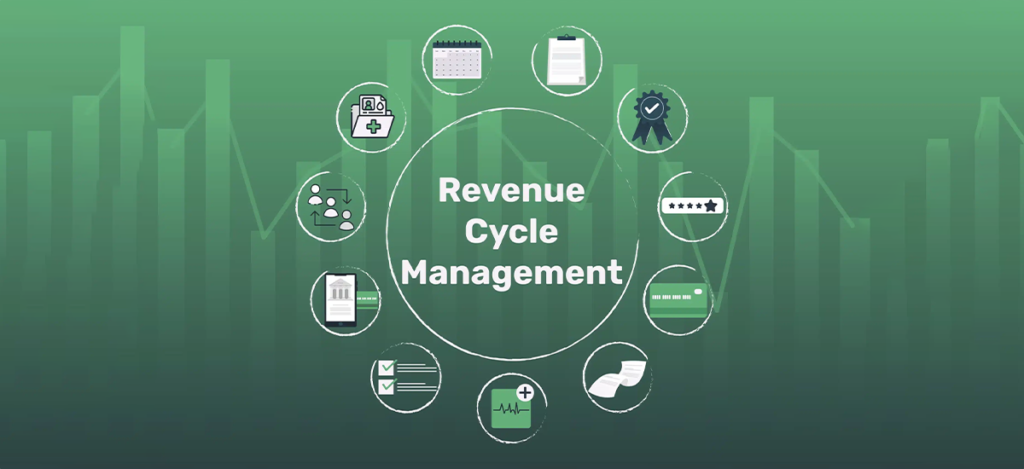
RCM refers to the administrative and clinical processes that capture, manage, and collect revenue for healthcare services. It covers the entire lifecycle of a patient account, including:
- Appointment scheduling and registration
- Insurance verification and eligibility
- Coding and charge capture
- Claim submission
- Payment posting and accounts receivable management
- Denial management and appeals
An effective RCM system ensures that healthcare providers are paid accurately and on time while minimizing claim denials and compliance risks.
Why Integrating EHR and RCM Is Critical
EHRs and RCM systems often operate in silos. Without integration:
- Clinical and billing staff must enter data manually into multiple systems.
- Errors in documentation or coding can lead to claim denials or delayed payments.
- Providers may miss opportunities for revenue capture, such as chronic care management or preventive services.
- Patients may receive incorrect statements or experience billing delays.
Integration bridges the gap between clinical and financial workflows, allowing for real-time data sharing, automated processes, and accurate reporting.
Key benefits include:
- Improved revenue capture: Accurate coding and billing based on real-time clinical data
- Fewer claim denials: Automation reduces errors in CPT, ICD-10, and modifiers
- Enhanced operational efficiency: Reduces redundant data entry and manual processes
- Better compliance: Documentation and billing data are consistently aligned
- Improved patient experience: Streamlined workflows and accurate billing
Steps to Seamlessly Integrate Your EHR With Your RCM System
Successful integration requires planning, execution, and ongoing maintenance. Below is a step-by-step guide.
Step 1: Evaluate Current Systems and Workflows
Before integration:
- Assess your current EHR and RCM systems
- Identify pain points and redundancies
- Map workflows for clinical documentation, coding, billing, and collections
Key questions to ask:
- Are our systems compatible with integration APIs or HL7 standards?
- What is our current claim denial rate, and where do errors occur?
- Which data points (diagnoses, procedures, demographics) are critical for billing accuracy?
Understanding current workflows ensures integration addresses real operational gaps.
Step 2: Choose the Right Integration Method
There are several methods for integrating EHRs with RCM systems:
- Native Integration: Some EHR vendors offer built-in RCM modules. This allows seamless data flow but may require migrating to a single vendor solution.
- Interface/HL7 Integration: Health Level Seven (HL7) standards allow clinical and financial data to exchange between different systems. HL7 interfaces can transmit:
- Demographics
- Charges and procedure codes
- Clinical notes and lab results
- Demographics
- API-Based Integration: Modern EHRs and RCM solutions offer APIs that enable real-time, customizable data exchange. APIs are flexible but require careful configuration.
- Third-Party Middleware: Middleware solutions act as a bridge between EHR and RCM, especially when using multiple vendor systems. They standardize data formats and reduce errors.
Step 3: Define Integration Goals and Metrics
Set clear objectives to measure integration success. Typical goals include:
- Reduce claim denials by X%
- Improve revenue cycle turnaround time by X days
- Automate X% of charge capture
- Decrease manual data entry errors
Establish key performance indicators (KPIs) to monitor the integration’s impact on financial and operational performance.
Step 4: Standardize Data Across Systems
Data consistency is critical for accurate billing and reporting.
Standardize:
- Patient demographic information (name, DOB, address)
- Procedure and diagnosis codes (CPT, ICD-10)
- Provider credentials and NPI numbers
- Encounter notes and treatment details
Inconsistent data often causes denied or delayed claims, especially when patient information differs between systems.
Step 5: Implement Charge Capture Automation
One of the biggest benefits of integration is automating charge capture.
How it works:
- EHR records clinical services (e.g., E/M visits, procedures, lab tests)
- RCM system receives real-time data and generates charges automatically
- Coders review and submit claims for reimbursement
This reduces:
- Manual entry errors
- Missed charges
- Delayed revenue recognition
Step 6: Align Clinical Documentation With Billing Requirements
Integrated systems allow for better alignment of documentation and coding.
Best practices include:
- Using EHR templates that support CPT/ICD-10 capture
- Highlighting missing documentation for specific procedures
- Triggering alerts for preventive or chronic care billing opportunities
This ensures that billing is fully supported by clinical documentation, reducing audits and denials.
Step 7: Test the Integration Thoroughly
Before going live:
- Conduct test scenarios with sample patient encounters
- Verify that charges, demographics, and clinical data transfer correctly
- Test alerts, reporting, and exception workflows
Testing prevents errors from reaching live claims and helps fine-tune workflows.
Step 8: Train Staff on Integrated Workflows
Even the best integration fails without proper training.
Training should cover:
- How clinical staff document visits for billing purposes
- How coders access charges and submit claims
- How finance teams track claims, payments, and denials
- How to use dashboards for KPI tracking
Regular refresher training ensures staff maximize the benefits of integration.
Step 9: Monitor Performance and Optimize
Integration is not a one-time project. Continuous monitoring is key.
Track:
- Claim acceptance rates
- Denials and reasons
- Average days in accounts receivable
- Charge capture accuracy
- Staff efficiency metrics
Use these insights to adjust workflows, optimize coding rules, and maintain data quality.
Common Challenges and How to Overcome Them
Even with a solid plan, integration can face challenges:
- Data Silos
- Problem: Some departments may resist sharing data
- Solution: Create cross-functional workflows and dashboards
- Problem: Some departments may resist sharing data
- System Compatibility
- Problem: Older EHRs or RCM platforms may not support APIs
- Solution: Use middleware or upgrade systems
- Problem: Older EHRs or RCM platforms may not support APIs
- User Adoption
- Problem: Staff may resist changing processes
- Solution: Provide hands-on training and highlight efficiency benefits
- Problem: Staff may resist changing processes
- Compliance and Security
- Problem: Integrating systems increases the risk of HIPAA violations
- Solution: Use encryption, secure data transfer protocols, and regular audits
- Problem: Integrating systems increases the risk of HIPAA violations
Best Practices for Successful EHR-RCM Integration
- Start with clear goals: Define what success looks like financially and operationally
- Engage all stakeholders: Providers, coders, finance, IT, and admin staff
- Automate where possible: Reduce manual data entry and charge capture errors
- Maintain compliance: HIPAA, CMS, and payer rules must always be followed
- Regularly review KPIs: Monitor claim acceptance, denial rates, and revenue impact
- Update systems regularly: Keep EHRs, RCM platforms, and interfaces current
Benefits of Successful Integration
When done correctly, EHR-RCM integration delivers measurable benefits:
- Improved cash flow: Faster claim submission and fewer denials
- Higher revenue capture: Fewer missed charges and better coding accuracy
- Reduced administrative burden: Staff spend less time on manual entry and corrections
- Enhanced patient experience: Accurate billing and fewer disputes
- Better compliance and reporting: Easier to prepare audits and regulatory submissions
Frequently Asked Questions (FAQs)
Final Thoughts
Integrating your EHR with your RCM system is no longer optional—it is essential for modern healthcare organizations aiming to optimize revenue, reduce errors, and improve patient care. By following a structured approach, standardizing data, automating charge capture, and continuously monitoring performance, healthcare providers can achieve operational efficiency and financial stability.
Organizations that successfully integrate these systems experience smoother workflows, faster reimbursements, fewer claim denials, and a measurable improvement in overall revenue cycle performance.